Understanding Image Cropping Techniques
In the realm of photography and graphic design, cropping is a fundamental technique that can drastically enhance the visual appeal of an image. Among various cropping methods, the ability to crop image in circle is particularly popular for creating striking compositions, especially for social media profiles and decorative purposes. This guide demystifies cropping and provides essential insights into effectively utilizing this technique to improve your visual storytelling.
What Is Crop Image in Circle?
To “crop image in circle” refers to the method of removing parts of an image outside a circular boundary, resulting in a round image. This technique is widely used for profile pictures on platforms like Instagram and Facebook, providing a unique and engaging aesthetic that stands out. Circular cropping allows for a more personalized presentation of subjects, whether it’s a portrait or any other focal point, and enhances the overall composition’s balance.
The Importance of Composition in Photography
Successful photography hinges on composition—how the elements within an image are arranged. Cropping plays a crucial role in refining this composition. By removing extraneous parts or emphasizing the subject through various shapes, including circles, photographers can guide viewers’ attention to the most impactful aspects of an image. Effective composition not only makes images more visually appealing but also conveys the intended message more powerfully.
Key Differences Between Crop and Resize
While both cropping and resizing alter an image, they’re fundamentally different processes. Cropping involves cutting out specific portions of an image to enhance composition, clarity, or focus. Resize, on the other hand, changes the overall dimensions or file size of an image without necessarily altering the content. Understanding these differences can help users decide when to crop and when to resize, ensuring images maintain their quality and aesthetic value.
How to Crop an Image into a Circle
Step-by-Step Guide for Beginners
For those new to image editing, cropping an image into a circle may seem daunting. However, it’s a relatively straightforward process that can be achieved with online tools or software applications. Follow these simple steps to get started:
- Select Your Image: Choose the image you wish to crop. Ensure it’s high-quality for the best results.
- Upload the Image: Use an online cropping tool or software, and upload your image. Many platforms offer drag-and-drop functionality for ease of use.
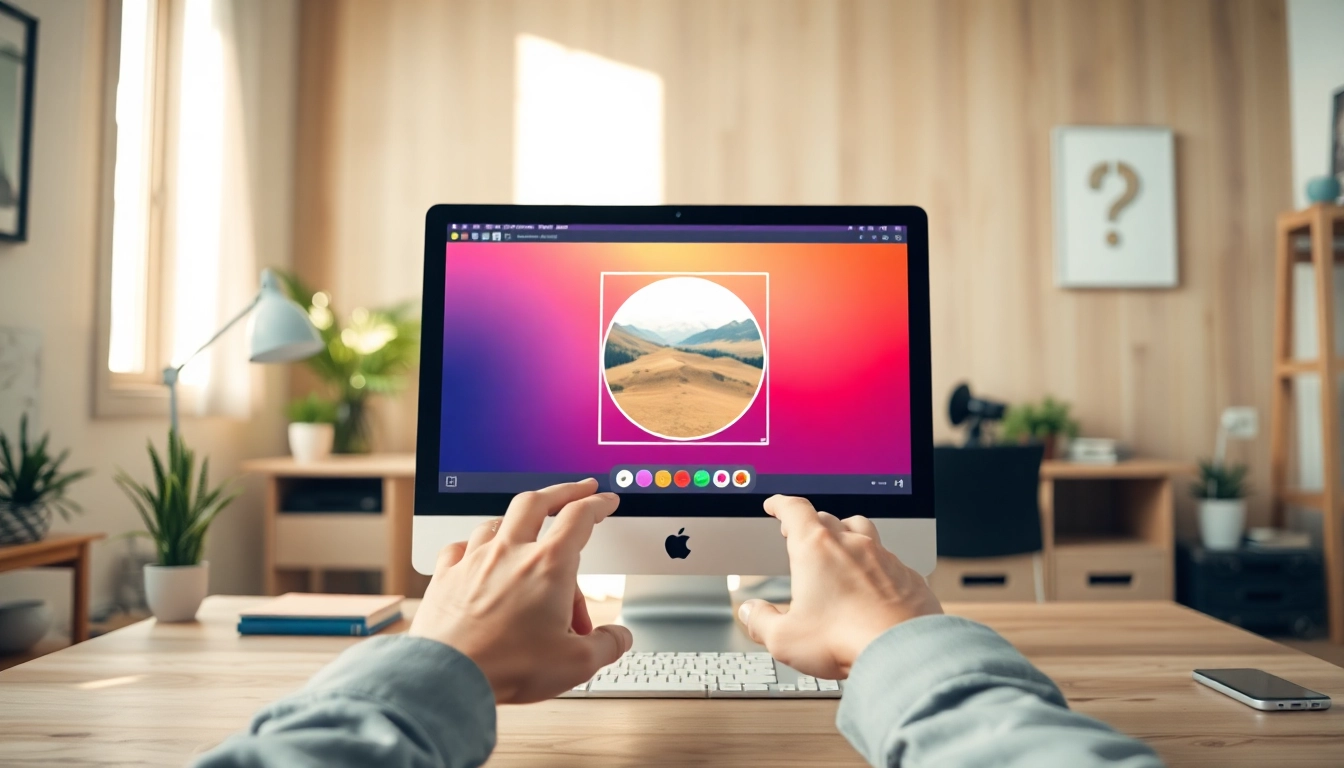
- Choose the Circular Crop Tool: Look for the circular cropping option in the tool menu. This may be represented as a circular frame or mask.
- Adjust the Crop Area: Position the circular frame around the area you want to keep. Most tools allow you to zoom in and drag to ensure perfect positioning.
- Finalize & Download: Once satisfied with your selection, apply the crop and download your new circular image in your preferred format.
Utilizing Online Tools for Circular Cropping
Online cropping tools have democratized image editing, making it accessible for everyone, regardless of skill level. Platforms such as CropPhoto provide user-friendly interfaces that allow users to crop images seamlessly. The advantage of using online tools is their flexibility and the ability to experiment with different styles without necessitating any software installation. These tools often include additional features like filters and enhancements, making it possible to create a polished image in just minutes.
Maintaining Image Quality While Cropping
One of the primary concerns when cropping images is maintaining quality. Cropping can sometimes lead to loss of resolution, particularly if the image is resized significantly after cropping. To prevent this:
- Start with the highest resolution image possible.
- Avoid excessive resizing after cropping; instead, keep the cropped image at its native resolution.
- Choose formats like PNG or TIFF for higher quality retainment when saving your images.
Choosing the Right Aspect Ratio
Understanding Different Formats: Why It Matters
Aspect ratio is critical when cropping images, as it dictates the final dimensions of your cropped image. Different platforms require different aspect ratios, making it essential to understand how these parameters affect your image’s use. For instance, a 1:1 aspect ratio is ideal for Instagram posts, while a 16:9 ratio is perfect for YouTube thumbnails. By selecting the appropriate aspect ratio during the cropping process, you can ensure your images fit the desired platforms without additional resizing.
Aspect Ratio Recommendations for Social Media
Each social media platform has specific recommendations for image dimensions to ensure optimal display and engagement:
- Instagram: 1:1 (Square) for posts, 4:5 for portraits, and 1.91:1 for landscape.
- Facebook: 1.91:1 for link shares, and 1:1 for profile pictures.
- Twitter: 16:9 for tweets with images, ensuring images are not truncated.
- YouTube: 16:9 for video thumbnails.
Exploring Customizable Frame Options
Customization adds a layer of creativity to your circular cropping. Many tools offer a variety of frame shapes beyond circles, such as hearts, stars, or geometric patterns, enabling users to enhance their images artistically. Such frames can be particularly effective for creating unique invitations, personal cards, or social media graphics that stand out.
Common FAQs About Circular Image Cropping
How to Crop an Image Without Losing Quality?
To crop an image without sacrificing quality, aim to use high-resolution images as your starting point. Additionally, opt for software or online tools that maintain the image’s quality during the cropping process. Always save in a high-quality format, ensuring minimal compression and loss of detail.
Can I Crop Images for Different Social Platforms?
Yes! Various online tools allow you to crop images into specific dimensions tailored for different social media platforms. By understanding the required aspect ratios, you can create images that not only look great but also fit perfectly within the constraints of each platform.
What Makes Smart Crop Unique?
Smart Crop is a feature that uses artificial intelligence to analyze your image and automatically determine the most aesthetically pleasing crop. It takes into account the composition, focus areas, and overall balance, which can be particularly beneficial for users who may not have a trained eye for composition.
Future Trends in Image Editing and Cropping
Innovative Tools and Features to Look For in 2026
As technology advances, so too does the field of image editing. Expect to see more AI-driven tools that not only assist in cropping but also in enhancing images creatively. Features like auto-enhancement, filter applications, and even predictive cropping that suggests the best frames based on user behavior will likely become standard.
The Impact of AI on Image Composition
AI’s influence in photography is expanding, with tools that can analyze elements such as lighting, angles, and subject focus to provide users with tailored cropping suggestions. This technology not only saves time but also encourages users to experiment with their compositions, leading to more dynamic and professional outcomes.
Emerging Styles in Digital Photography and Design
Trends in digital photography and design continue to evolve, with circular cropping seeing a resurgence as a staple for various applications. This style will likely be complemented by emerging graphics and design elements, providing users with innovative ways to present their images that align with contemporary aesthetic values.