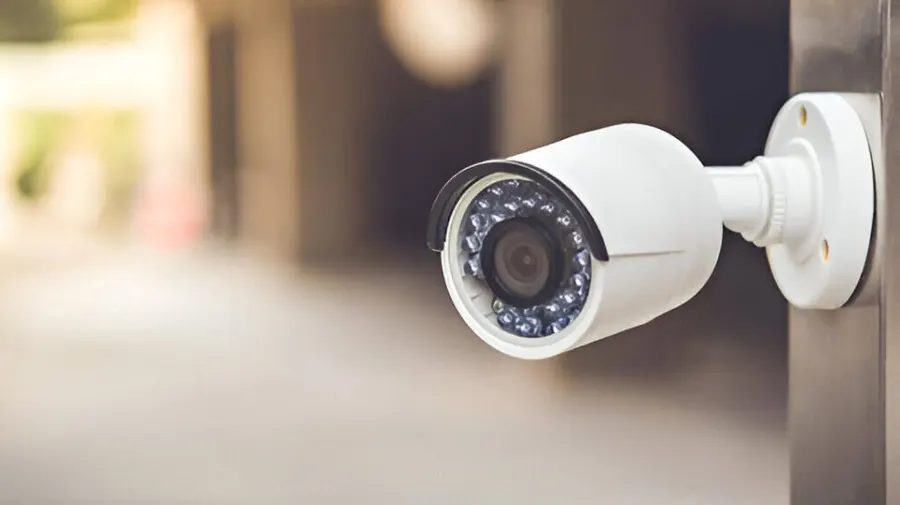
In today’s world, ensuring the safety of your home has become more critical than ever. Break-ins, package thefts, and unwanted visitors are risks that can occur at any time. Fortunately, technology has advanced significantly, and the Best Home Security Cameras now offer smart alerts to keep homeowners informed in real-time. These cameras go beyond simple recording; they notify you instantly of any suspicious activity, allowing you to act promptly. This guide will walk you through everything you need to know about choosing the right smart security camera for your home.
Why Smart Home Security Cameras Are Essential
Traditional security cameras simply record footage, which you can review later. While this provides evidence after an incident, it doesn’t prevent crimes in real-time. Smart home security cameras address this limitation by sending instant alerts to your smartphone or email whenever unusual activity is detected.
Some reasons to invest in smart security cameras include:
- Real-time notifications: Get instant alerts if someone approaches your property.
- Remote monitoring: View live video from anywhere using your smartphone or tablet.
- Deterrence: Visible cameras with smart alerts can discourage intruders.
- Integration with smart home devices: Many cameras work with lights, alarms, and voice assistants.
Real-life example: Imagine you are at work and receive a notification that someone is loitering near your front door. You can instantly check the live feed, trigger an alarm, or alert authorities, preventing potential theft.
Features to Look for in the Best Home Security Cameras
When shopping for the best home security cameras, it’s essential to understand the features that make them effective. Here are some key features to consider:
1. High-Definition Video Quality
A camera with at least 1080p resolution ensures clear images and detailed video recordings. This is crucial for identifying faces, license plates, or other important details.
2. Night Vision Capabilities
Crimes often occur under the cover of darkness. Cameras with infrared or color night vision can detect motion even in low-light conditions, keeping your home protected around the clock.
3. Motion Detection and Smart Alerts
Smart cameras use advanced motion sensors to distinguish between humans, animals, and other movements. This prevents unnecessary alerts while ensuring you receive notifications for genuine threats.
4. Two-Way Audio
Two-way audio allows you to communicate with visitors, delivery personnel, or intruders directly through the camera’s app. For instance, you can instruct a delivery driver to leave a package in a safe spot.
5. Cloud and Local Storage Options
Reliable storage is essential to access past footage. Some cameras offer cloud storage subscriptions, while others allow microSD cards for local storage. Choose a solution that meets your privacy and convenience needs.
6. Weather Resistance
For outdoor cameras, weatherproofing is crucial. Look for cameras rated for extreme conditions to ensure long-term performance.
Top Types of Home Security Cameras
The market offers a variety of security cameras, each designed for specific needs. Here are the most common types:
1. Indoor Cameras
Ideal for monitoring rooms, indoor cameras are compact and easy to install. They often feature motion detection, two-way audio, and smart alerts.
2. Outdoor Cameras
Built to withstand weather elements, outdoor cameras are more robust and usually come with higher-resolution lenses, night vision, and motion-triggered alerts.
3. Doorbell Cameras
These cameras are installed at the front door and combine video monitoring with a doorbell. They alert you when someone rings the bell or approaches the doorway.
4. Pan-Tilt-Zoom (PTZ) Cameras
PTZ cameras allow remote control of the camera angle, enabling you to cover large areas efficiently. They are particularly useful for monitoring driveways or yards.
Real-Life Case Study: How Smart Alerts Prevent Theft
A family in Vancouver installed smart security cameras with motion alerts around their home. One evening, the system detected unusual movement near the garage and sent an instant notification to the homeowner’s phone. The homeowner accessed the live feed and saw a suspicious person trying to open their garage door. The homeowner immediately called local authorities. The intruder fled before entering the property.
This example highlights the effectiveness of smart alerts in preventing crime and keeping homeowners informed in real-time.
Tips for Choosing the Best Home Security Cameras
Selecting the right camera can be overwhelming, but focusing on a few key aspects can simplify the decision:
- Assess your needs: Determine whether you need indoor, outdoor, or doorbell cameras.
- Check compatibility: Ensure the camera works with your smartphone and other smart home devices.
- Evaluate subscription costs: Some cameras require monthly fees for cloud storage or advanced features.
- Look for easy installation: Cameras that are simple to install save time and frustration.
- Read reviews: Check feedback from other users to identify reliability and performance.
Advantages of Smart Alerts
Smart alerts offer significant advantages over traditional surveillance:
- Immediate action: Alerts allow homeowners to respond to threats instantly.
- Peace of mind: Knowing your home is being monitored provides reassurance.
- Efficient monitoring: You can focus on important alerts rather than reviewing hours of footage.
- Customizable notifications: Adjust settings to receive alerts only for specific types of movement.
Analogy: Think of smart alerts like a personal security guard for your home. Instead of constantly watching cameras, you only get notified when something unusual happens.
Popular Brands Offering the Best Home Security Cameras
Several brands are renowned for their high-quality cameras with smart alerts:
- Arlo: Offers wireless cameras with advanced motion detection and color night vision.
- Ring: Known for doorbell cameras and outdoor security systems with real-time alerts.
- Nest: Features smart cameras with AI-based alerts and integration with Google Home.
- Eufy: Provides cameras with local storage and no monthly fees while still offering smart alerts.
- Blink: Affordable options with reliable motion detection and cloud storage.
Installation Tips for Optimal Security
Proper installation ensures your cameras perform effectively:
- Place outdoor cameras at entry points and high-traffic areas.
- Ensure indoor cameras cover large common areas like living rooms or hallways.
- Avoid placing cameras facing direct sunlight to prevent glare.
- Test smart alerts after installation to ensure notifications work correctly.
Common Mistakes to Avoid
Even the best cameras can fail to protect your home if not used correctly:
- Installing cameras too high or too low, limiting the field of view.
- Ignoring firmware updates, which may include important security patches.
- Using weak passwords, making it easier for hackers to access the system.
- Relying on a single camera; multiple cameras provide better coverage.
How Smart Home Cameras Integrate with Smart Homes
Smart cameras can work seamlessly with other smart home devices:
- Smart lights: Turn on lights automatically when motion is detected.
- Smart locks: Receive notifications when someone approaches and control locks remotely.
- Voice assistants: Check live camera feeds using Alexa, Google Assistant, or Siri.
Integration makes your home safer and more convenient, creating a comprehensive smart security ecosystem.
Choosing the Right Best Home Security Cameras
Indoor vs Outdoor Options
Selecting the right Best Home Security Cameras starts with understanding your needs. Indoor cameras are ideal for monitoring living spaces, hallways, and rooms where family members spend most of their time. Outdoor cameras, on the other hand, protect entry points, driveways, and backyards. Many homeowners choose a combination of both to ensure complete coverage.
Wired or Wireless Cameras
Another factor is whether to select wired or wireless Best Home Security Cameras. Wired cameras offer stable connections and reliable performance but require professional installation. Wireless cameras are easier to set up and flexible in placement, making them perfect for renters or temporary setups.
Features to Look for in the Best Home Security Cameras
Motion Detection and Alerts
One of the most important features in the Best Home Security Cameras is motion detection. Smart cameras detect movement and send instant alerts to your smartphone. Advanced models can differentiate between humans, pets, and other motion, reducing false notifications.
Night Vision and Video Quality
High-quality video and night vision are essential. The Best Home Security Cameras should provide clear footage in low-light conditions to ensure you never miss an important detail. Cameras with 1080p or higher resolution offer the best results for monitoring your property.
Installation Tips for the Best Home Security Cameras
Strategic Placement
Correct placement of Best Home Security Cameras maximizes their effectiveness. Outdoor cameras should cover entry points, garages, and backyards, while indoor cameras should monitor high-traffic areas. Avoid placing cameras in direct sunlight to prevent glare and false alerts.
Testing Alerts and Connectivity
After installation, testing your Best Home Security Cameras ensures proper functionality. Make sure smart alerts reach your phone and that you can access live feeds remotely. Testing helps identify blind spots and ensures your system is reliable.
Integrating Best Home Security Cameras with Smart Homes
Voice Assistant Compatibility
The Best Home Security Cameras can integrate with voice assistants like Alexa, Google Assistant, or Siri. This allows you to view live feeds, control cameras, and receive alerts using simple voice commands, creating a more convenient home security experience.
Automation and Smart Devices
Many homeowners use Best Home Security Cameras alongside smart lights, locks, and alarms. For example, a camera detecting motion can trigger lights or sound an alarm, enhancing safety and creating a comprehensive smart home security system.
Benefits of Investing in the Best Home Security Cameras
Real-Time Protection
Investing in Best Home Security Cameras provides real-time protection for your home and family. Instant alerts allow you to act immediately in case of intrusions, package thefts, or suspicious activity.
Peace of Mind and Deterrence
Finally, Best Home Security Cameras offer peace of mind. Visible cameras act as a deterrent to potential intruders, while smart alerts ensure that you are always informed, whether at home or away. This combination of monitoring and prevention makes them an essential home safety tool.
Conclusion
Investing in the best home security cameras with smart alerts is an essential step toward protecting your home and loved ones. With real-time notifications, remote monitoring, and advanced features like night vision and two-way audio, these cameras go beyond mere surveillance. By understanding the types of cameras, key features, and installation tips, homeowners can make informed decisions that fit their specific needs. Smart alerts not only provide peace of mind but also act as a powerful deterrent against crime, keeping your home secure 24/7. Whether you choose indoor cameras, outdoor cameras, or smart doorbells, prioritizing smart alerts ensures you stay informed and prepared at all times. Go back to the homepage to explore a wide range of topics.
FAQs
What are the benefits of smart alerts in home security cameras?
Smart alerts notify homeowners instantly when unusual activity is detected. This allows immediate action, prevents potential theft, and reduces the need to monitor footage constantly.
Can smart security cameras work without a subscription?
Some cameras offer local storage options, eliminating the need for cloud subscriptions. However, cloud storage often provides additional benefits like remote access, long-term video retention, and enhanced AI alerts.
How do I choose the right home security camera for my house?
Consider your home’s layout, whether you need indoor or outdoor coverage, compatibility with smart devices, video quality, and storage options. Reading reviews and testing notifications can also help you make an informed choice.